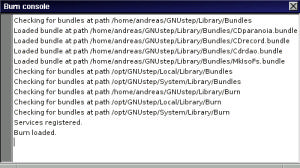
If you need more information about what is going on inside Burn.app (e.g. what
arguments are used to fire up a certain tool) you may have a look at the
console window. This window throws out a lot of textual information such as
the command lines for the tools, the backend tools' own outout, error messages
etc.
You can open this window by selecting 'Tools'->'Console' from the menu.
The console uses different colours for different types of messages. 'Normal'
messages are printed in black, error messages in red, and the backend tools'
output in grey.
Blanking CD-RWs is necessary if you want to reuse a CD-RW or if you need to
destroy its contents for any other reason.
Currently, Burn.app offers two blanking methods: 'fast' and 'full'. 'Fast'
simply erases the table of contents (TOC) from the CD-RW. This method is
relatively fast and usually sufficient if you merely want to overwrite the
CD-RW with new data. This method however does not erase the data from the
disc. If you want to do this, you must select the blanking mathod 'full'.
Note, that a 'full' blank will take significantly longer. Hence, this method
is recommended only if you must make sure that all data is wiped out.
Selecting 'Tools'->'Blank CD-RW' will pop up the following panel where you can
choose the blanking method:
Blanking will start immediately using the tools selected in the 'Burn Tools'
panel.